Ekart Tracking Not Updating – Troubleshooting Guide
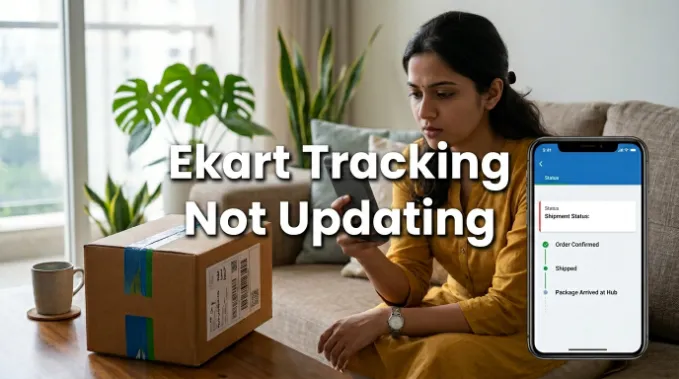
Ekart tracking not updating can be frustrating, especially when your shipment status hasn’t changed for days. You may see no new scan, no location update, or any movement in the tracking details.
In most cases, however, this doesn’t mean your parcel is lost. There are several common reasons why an Ekart tracking status may be delayed, including missed scans, shipment movement between hubs, or temporary system delays. Here’s what can cause the Ekart tracking not updating problem, how long you should wait, and when it’s time to contact Ekart for help.
Why Your Ekart Tracking Status Isn’t Updating
A stuck tracking status almost always comes down to one of these reasons:
The parcel is between scan points
Your shipment doesn’t get scanned continuously it only updates when it physically arrives at or leaves a hub. If it’s currently in a truck between two cities, there’s simply no scan to log yet, even though it’s very much moving.
It’s sitting at a sorting hub during high volume
During sale seasons (Big Billion Days, festive sales, end-of-month order spikes), hubs handle a much larger volume than usual. Parcels can sit for an extra day or two at a sorting facility before the next scan happens, even though nothing has actually gone wrong.
A scan was missed or delayed in the system
Occasionally a physical handover happens but the scan doesn’t sync to the tracking system right away. This is a system lag issue, not a lost-parcel issue, and it usually resolves itself once the backend catches up.
The delivery hub is closer than the status shows
Sometimes a parcel is technically at your local delivery office, but the status hasn’t been refreshed to reflect that yet — meaning it could go “Out for Delivery” any time without warning.
Weather, regional disruptions, or vehicle issues
Heavy rain, floods, strikes, or route disruptions in a particular region can delay both the physical movement and the scanning updates for shipments passing through that area.
How Long Should You Wait Before Worrying?
Here’s a general timeline to judge whether your situation is normal or needs attention:
- 0–24 hours with no update: Completely normal. No action needed.
- 24–48 hours with no update: Still within normal range, especially during sale periods or if your delivery city is far from the dispatch hub.
- 48–72 hours with no update: Worth keeping an eye on. Check if your estimated delivery date has already passed — if not, it’s usually still fine.
- 72+ hours with no update, AND past your estimated delivery date: This is the point where it’s reasonable to reach out for a manual check.
The key factor isn’t just how long the status has been frozen — it’s whether your estimated delivery date has already passed. A status stuck for 3 days is a non-issue if your expected delivery window is still 5 days out.
What to Check Before Escalating
Before assuming something’s wrong, quickly verify:
Your tracking number is correct
a single mistyped character will show a blank or frozen result that has nothing to do with your actual shipment.
You’re checking the right platform
Flipkart, Myntra, and direct Ekart tracking sometimes sync at slightly different speeds. If one shows no update, try checking through the source app as well.
There’s no regional alert
occasionally couriers post service disruption notices for specific cities or states during extreme weather; this explains a lot of “stuck” trackers all at once.
When It’s Time to Escalate
If your estimated delivery date has passed and there’s genuinely been no movement for several days, it’s time to get a human involved rather than keep refreshing the tracking page. At that point, your fastest path is contacting Ekart or the platform you ordered from directly, since they can pull internal shipment data that isn’t visible on the public tracking page. We’ve laid out the exact contact details and complaint process on our Ekart Customer Care page that’s the right next step once you’ve ruled out a simple scan delay.
Quick Recap
- A frozen tracking status usually means your parcel is between scans, not lost.
- Give it at least 48–72 hours before assuming anything is wrong.
- Compare the frozen status against your estimated delivery date, not just the number of hours passed.
- Double-check your tracking number and try both the courier’s tracker and the platform app before escalating.
- Once your delivery date has passed with no movement, contact Ekart support directly for a manual check.
In most cases, patience combined with a quick re-check the next day resolves this on its own.
Also check: Ekart Return and Refund Policy


One Comment