Ekart AWB Number & Tracking ID Format Explained
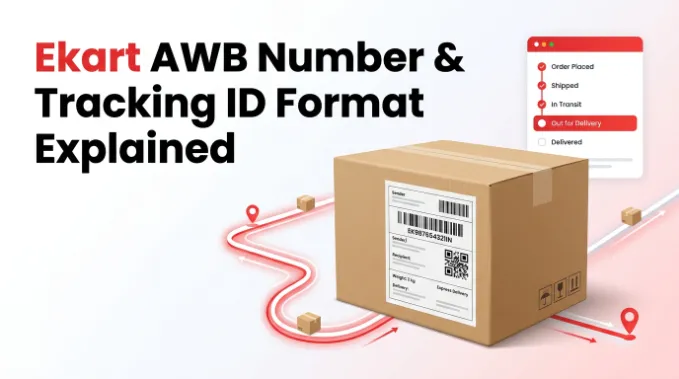
If you’ve ever opened a shipping confirmation and seen a random string of letters and numbers next to “AWB” or “Tracking ID,” you’re not alone in wondering what it actually means. This number is the single most important piece of information for tracking your Ekart shipment — without it, there’s no way to check where your package is. Here’s a clear breakdown of what an Ekart AWB number is, what it looks like, and exactly where to find yours.
What Is an AWB Number?
AWB stands for Airway Bill, a term borrowed from air cargo shipping. In courier and e-commerce logistics, the same idea is used to mean a unique code assigned to your shipment the moment it’s booked for pickup. You’ll also hear this same number called a tracking ID, tracking number, or consignment number — different platforms use different labels, but they all point to the same code.
Think of it as your parcel’s fingerprint. From the moment Ekart picks it up from the seller to the moment it’s handed to you, every scan at every hub gets logged against this one number, which is exactly what lets you follow its journey online.
What Does an Ekart AWB Number Look Like?
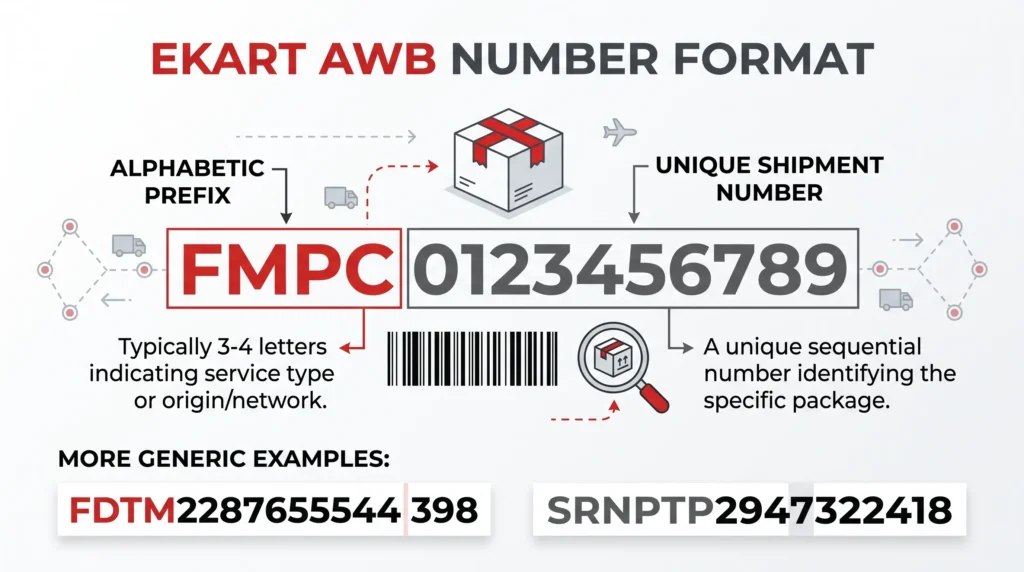
Ekart tracking numbers are alphanumeric — a mix of letters and digits — rather than pure numbers. A typical Ekart AWB usually starts with a set of uppercase letters followed by a string of digits, commonly totaling somewhere between 12 and 18 characters overall.
Some real-world examples of what an Ekart tracking number can look like:
- FMPC0123456789
- FDTM228765554398
- SRTP2947322418
You’ll notice a pattern: a short alphabetic prefix followed by a longer numeric sequence. The prefix often signals which network the shipment originated from — for example, codes beginning with FMPC or FMPP are commonly associated with shipments moving through the Flipkart-Ekart network. The digits after the prefix are simply a unique serial number generated for that specific shipment, with no hidden meaning beyond identifying it in Ekart’s system.
It’s worth noting that Ekart doesn’t use a single rigid format across every shipment type. Numbers can vary slightly in length and structure depending on whether the shipment came from a Flipkart order, a Myntra order, or a third-party seller shipping independently through Ekart. If your number doesn’t exactly match the examples above but still follows a similar letters-plus-digits pattern, it’s very likely still a valid Ekart tracking ID.
Where to Find Your Ekart AWB Number
You don’t need to contact anyone to get this — it’s usually already sitting in one of these places:
- Order confirmation email or SMS sent right after you place an order
- The Flipkart or Myntra app, under My Orders → your specific order → shipment/tracking details
- The shipping label stuck on the package itself, if you’re a seller or already have the parcel in hand
- Seller dashboard, if you’re a business shipping through Ekart rather than an individual buyer
If you’ve checked all of these and still can’t locate it, your best next step is reaching out to the seller or platform (Flipkart/Myntra) you ordered from, since they generate and store this number on your behalf.
AWB Number vs Order ID vs Consignment Number — What’s the Difference?
These terms get used almost interchangeably, which causes a lot of confusion. Here’s the actual distinction:
- Order ID — generated by the platform you bought from (Flipkart, Myntra, etc.). This identifies your order, not necessarily the physical shipment.
- AWB Number / Tracking ID / Consignment Number — generated by Ekart itself once your order is handed over for delivery. This identifies the shipment moving through the logistics network.
In most cases, entering either your Order ID or your Ekart AWB number into a tracking tool will get you the same result, since platforms like Flipkart link the two together behind the scenes. But if one doesn’t work, it’s worth trying the other — occasionally only the AWB number pulls live courier-side data, especially for orders shipped by independent sellers.
Quick Recap
- Your Ekart AWB number is a unique alphanumeric code — usually letters followed by digits — assigned when your shipment is booked.
- It’s also called a tracking ID or consignment number, and works the same way regardless of the label used.
- You’ll typically find it in your order confirmation, the Flipkart/Myntra app, or on the shipping label.
- If your Order ID doesn’t track properly, try the AWB number instead (or vice versa).
Once you have your number, you can enter it directly into the Ekart tracking tool on our homepage to see your shipment’s live status.